Snagging tool · Punch list app
Conos Snagging Tool is a revolutionary way to identify, document, and resolve defects in construction projects.
Try Snagging Tool for FreePrefer a walkthrough? Book a demo
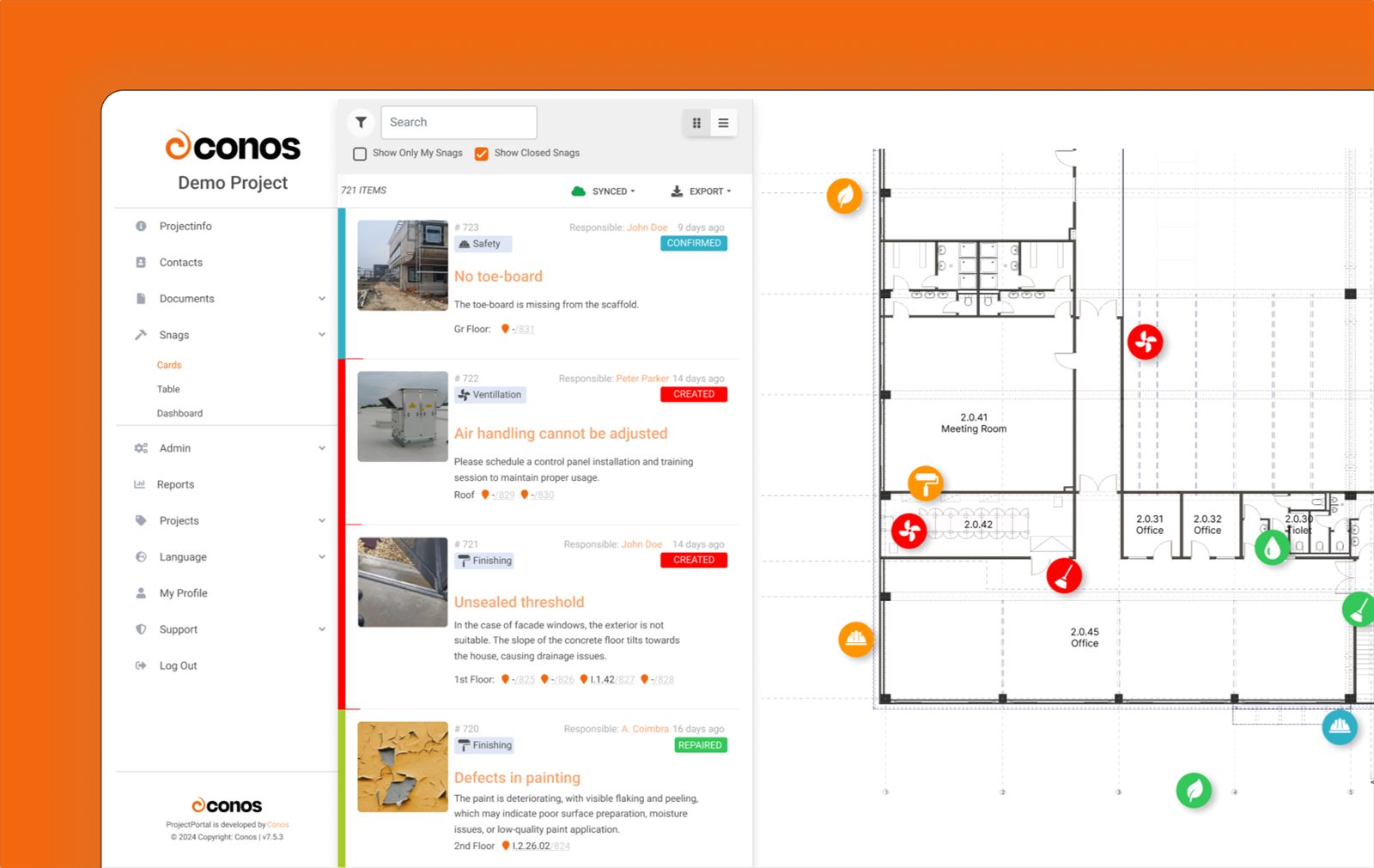
Screenshots show sample data and are for illustration only. The interface can differ by version, plan and client configuration.
Snag lifecycle
Every snag moves through a series of statuses. The default set has twelve, and each client can add its own and change their order. These five show a typical flow. Each step can sit with a different role (e.g., project manager, architect, builder).
The snag is logged with description, subject, deadline and responsible party.
The responsible party works on it, and everyone can follow the status.
The fix is reported and notifications go out.
The repair is checked and the snag is confirmed as closed.
Issues that are not part of the project scope are marked and set aside.
Capture
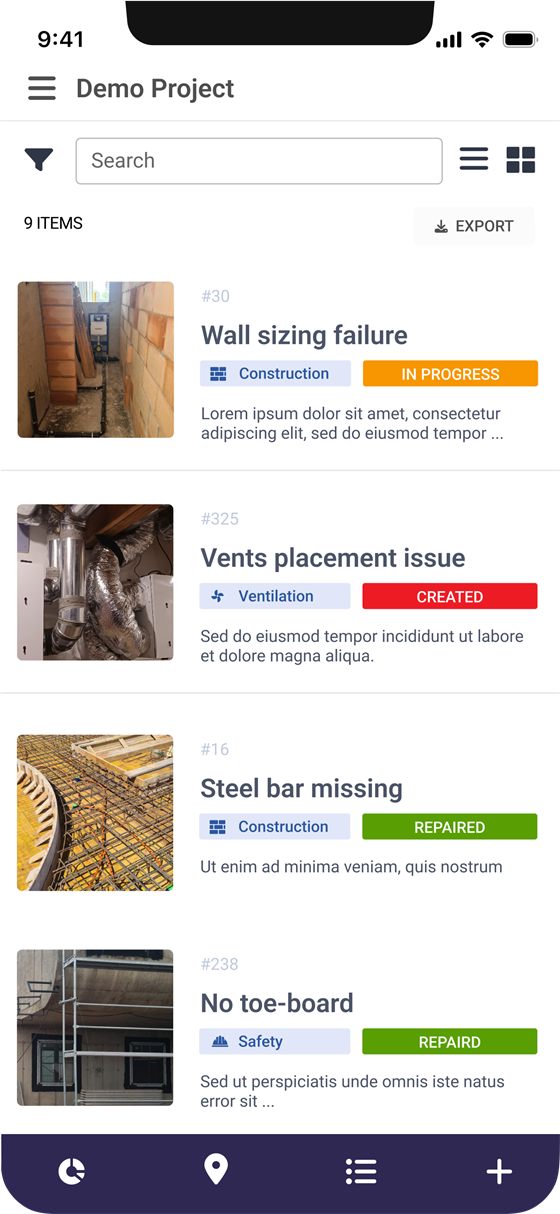
Identify and document issues on-site without paper checklists or manual data entry. In a few clicks, describe the snag, attach photos and mark its location on the drawing.
Capture each snag's location, severity and responsible party in one central place.
Assign snags to specific people or teams, set due dates and follow resolution in real time. Receive notifications when snags are completed or require attention.
Prioritize snags by importance and urgency so the most critical issues are addressed first. Colors set tasks apart and can show priority levels or project phases.
Attach relevant photos, 360 degrees images or other supporting documents to each snag, providing visual evidence and context for improved understanding and decision-making.
Conos Snagging Tool supports multiple languages, including German, English, Serbian, and Hungarian. Comments, tags and descriptions can be automatically translated, and you can edit translations as needed.
All snag information in one place: locations, responsible parties and resolution status, available after a simple log-in.
Creating and Managing Snags
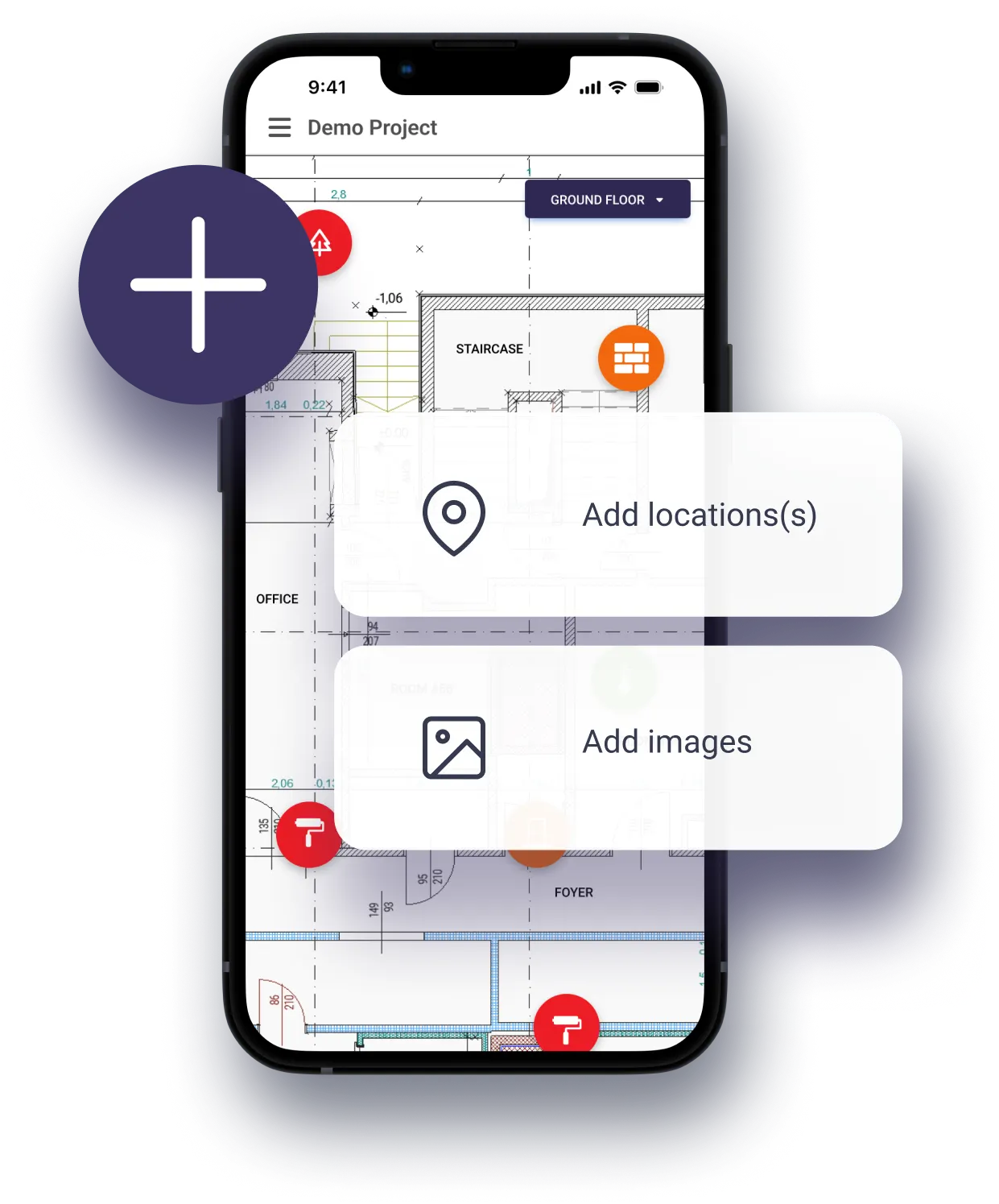
Click the '+' button and describe the defect with a title, description, and subject (e.g., finishing, construction, ventilation). Assign a deadline and a responsible party (e.g., project manager, architect, builder).
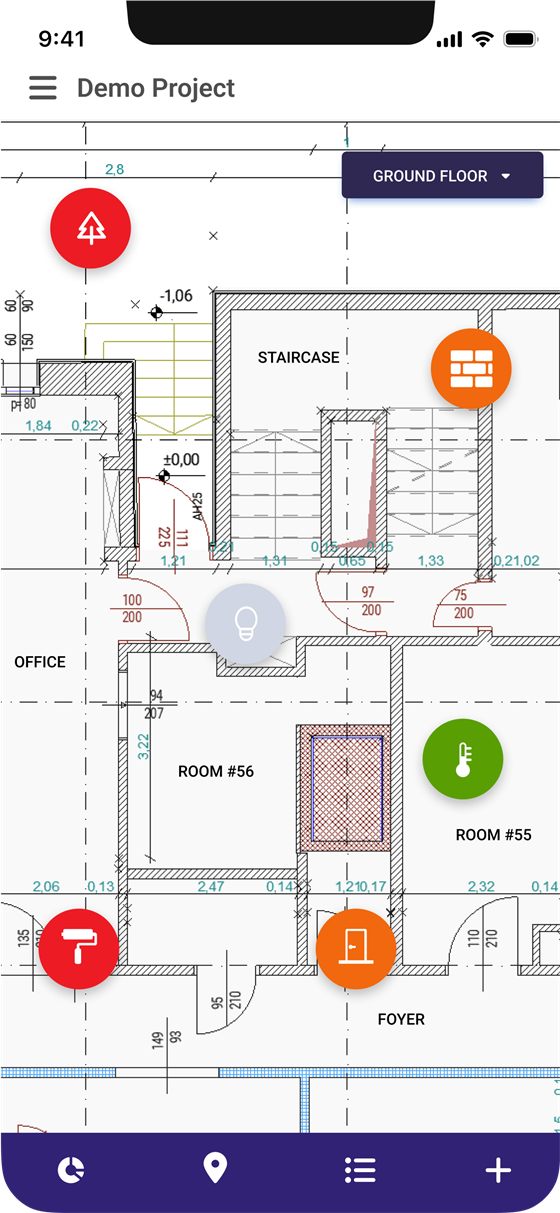
Easily place one or more pins directly on the floorplan to accurately identify the snag's location.
Snap photos directly within the app or upload existing photos and even 360-degree images for comprehensive documentation.
Your newly created snag will be automatically saved and displayed on both the list view and the corresponding architectural plan. The current status of the snag (e.g., created, repair in progress, repaired, confirmed, out of scope) is always readily visible.
Analytics and Reporting
Turn raw snag data into clear charts and reports: see where problems cluster, where repairs get stuck, and how fast issues are resolved.
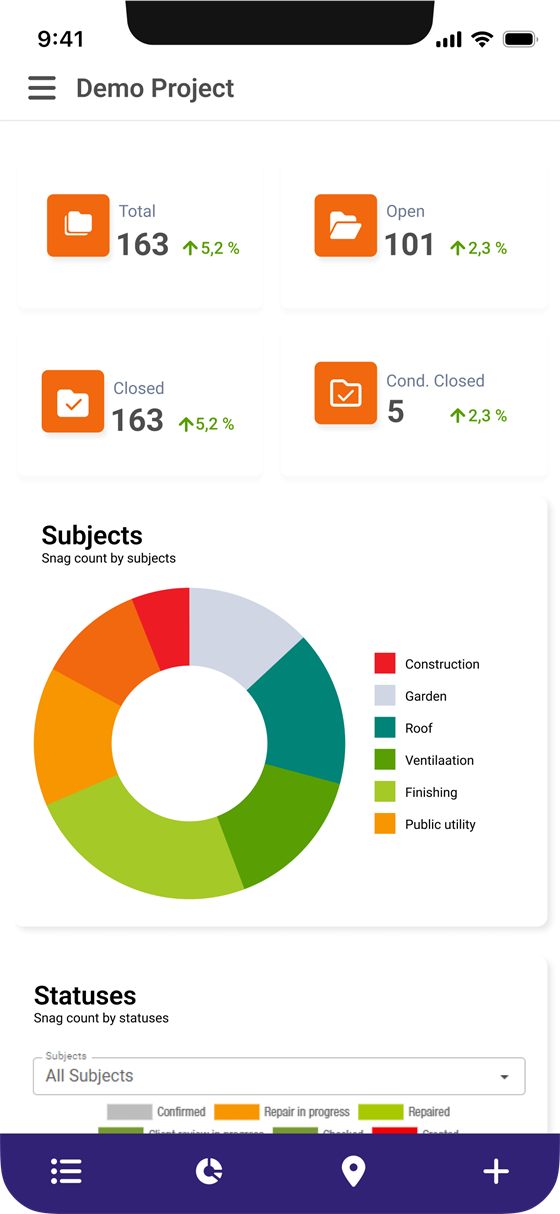
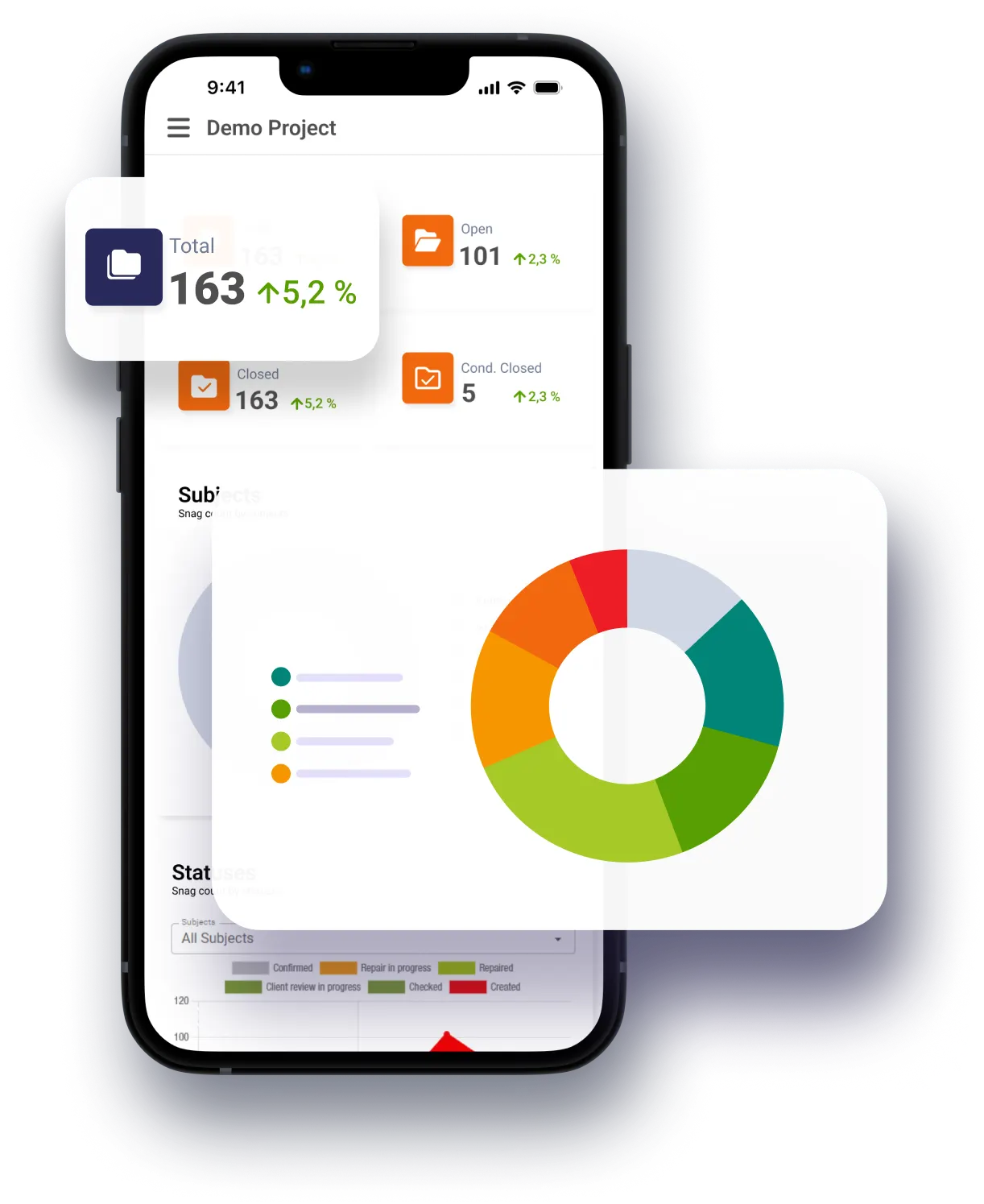
Gain immediate insight into the overall state of your snags and the total number of issues. View the changes in open snags requiring attention and closed snags successfully resolved.
Dive deeper with a dedicated doughnut chart that breaks down snags by subject (e.g., construction, finishing, electrical). This visual representation helps you pinpoint areas requiring the most focus and resource allocation.
Understand the progress of your snag resolution process with a dedicated chart illustrating the distribution of snags across various statuses (e.g., created, repair in progress, repaired, confirmed, out of scope). This allows you to identify potential bottlenecks and prioritize critical snags effectively.
Uncover valuable insights into snag resolution timelines with a dedicated chart. This chart tracks the average time it takes to resolve snags within each status category. Leverage this information to improve efficiency and ensure timely project completion.
See how many snags change status each day on a timeline chart.
Snag lists can be exported as PDF (also with floor-plan pins) or XLSX, on every plan.
On your phone
Conos is a mobile-friendly web app you can install on your phone for quick access. It works like a native app.
How to install it
Screenshots show sample data and are for illustration only. The interface can differ by version, plan and client configuration.
Why Conos
Say goodbye to disorganized snag documentation and fragmented communication. Access punch lists, track progress and collaborate with project stakeholders from a single interface.
Automating the identification, documentation and resolution of snags helps you save time and address them more promptly and accurately.
Prompt identification and resolution of snags minimize the risk of delays and support timely project completion.
FAQ
In construction, a snagging tool is used to inspect and manage defects, incomplete work, or quality issues before a project is completed. It helps contractors and project managers document snags, assign tasks to the right teams, and ensure all issues are fixed before final handover.
The terms 'Punch List' and 'Snagging Tool' are often used interchangeably, but they have slight differences depending on regional terminology and industry usage.
Punch List (Common in the U.S.) – A list of unfinished tasks and defects created at the final stage of a project before handover.
Snagging Tool (Common in the UK & Europe) – A tool used to identify, document, and track defects throughout the construction process, ensuring quality control at every stage.
Both serve the same goal: ensuring high-quality construction and a smooth handover.
The Snagging Tool works partly offline and also with a weak internet connection. Photos are uploaded with a delay.