
Project Portal

Every drawing and defect, in one place

Conos is an easy-to-use content collaboration platform, developed uniquely for building design and construction projects.

Try Conos for FreeExplore features

Prefer a walkthrough? Book a demo

Cancel anytime
•
No credit card required
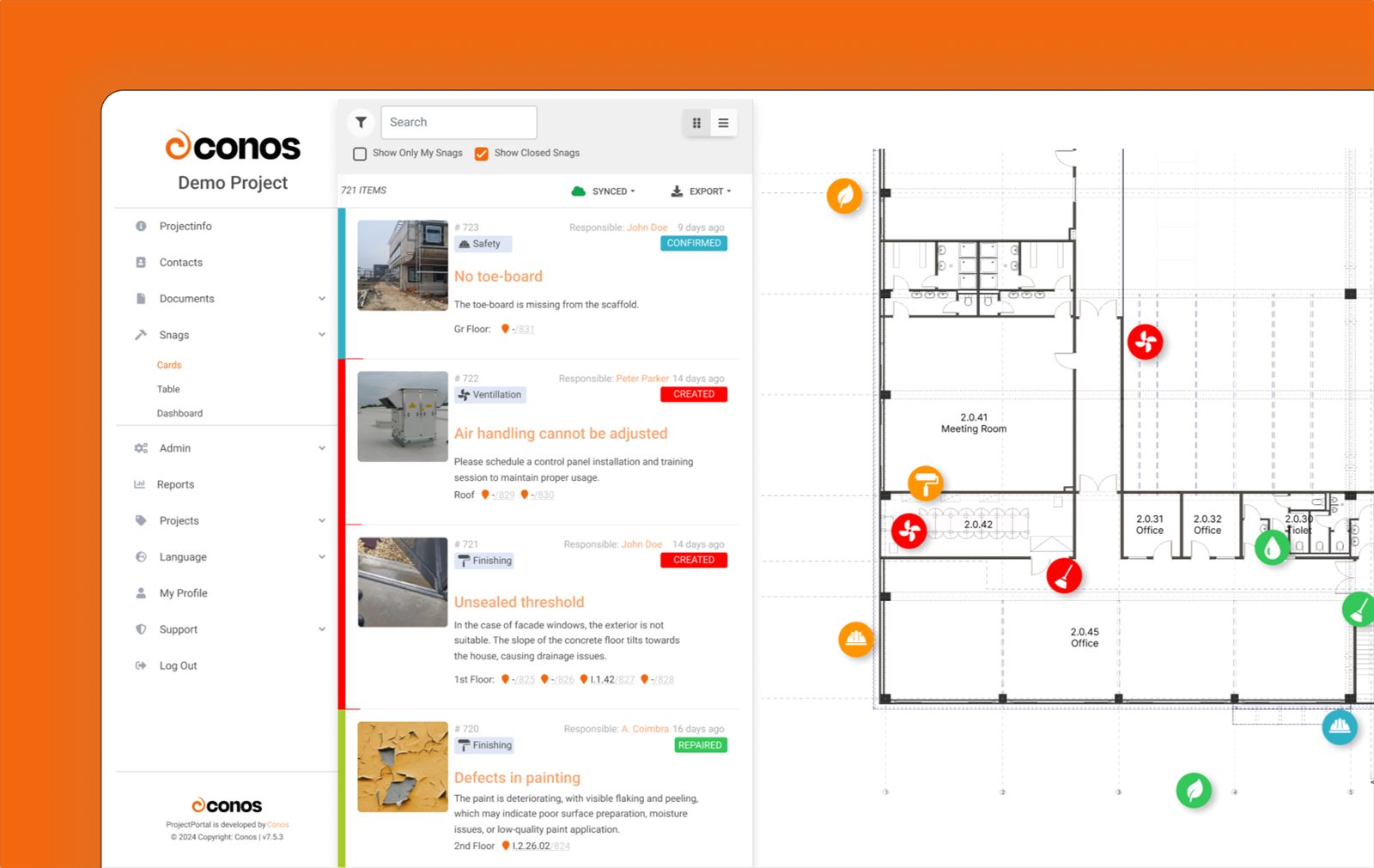
The Conos Snagging Tool: a list of snag cards beside a floor plan with colored snag pins

Screenshots show sample data and are for illustration only. The interface can differ by version, plan and client configuration.

Project participants sharing files such as PDF, DWG, PLN, XLSX and ZIP in one connected network

Document management solution

Conos is a document management solution built for building design and construction companies. It handles large files such as CAD drawings, PDFs and photos, and gives clients, contractors and designers one always up-to-date place for documents, drawings and contacts. Folders stay easy to follow: use our template or your company's own structure.

Explore document management

Defect management in construction

Struggling with disorganized snag documentation, communication gaps and missed deadlines? Conos Snagging Tool helps you track defects, keep communication clear and hand projects over without surprises.

More about Snagging Tool
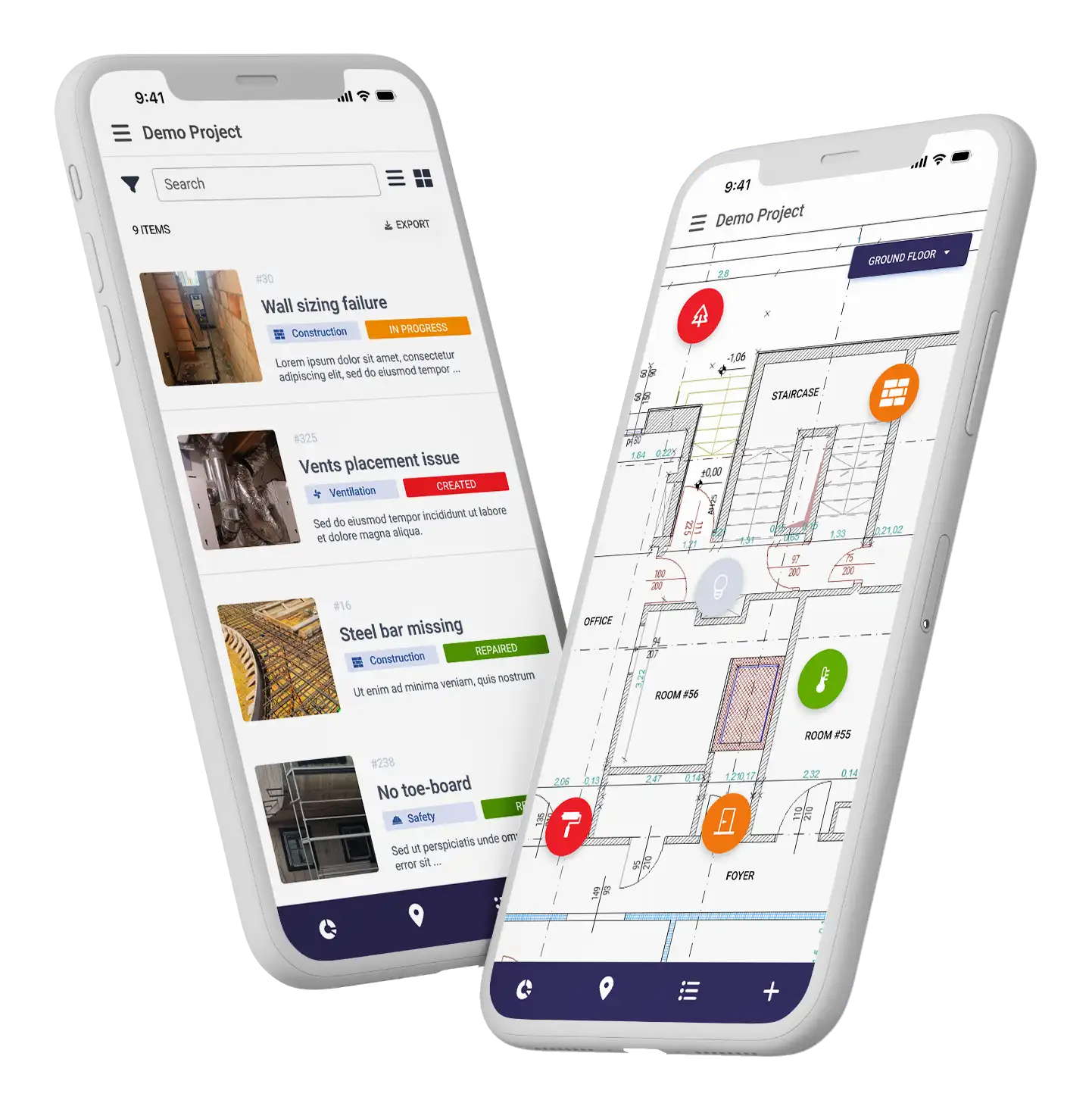
Conos Snagging Tool Mobile Screenshots

Screenshots show sample data and are for illustration only. The interface can differ by version, plan and client configuration.

Our Users

Who does what on Conos?

  • One central platform for all project documentation, with seamless access.
  • Upload meeting minutes and project updates so everyone stays informed.
  • Comment on plans and snagging lists and suggest changes.
  • Always see the latest documents and plans, and stay up to date on progress.
  • Securely share plans with bidding contractors during tendering.
  • Feedback and approval features to stay involved in the project.
  • Collaborate and share plans with other designers with ease.
  • Version control keeps everyone on the latest version of a plan.
  • Review and approve plans, meeting minutes and other documents in one place.
  • Track project progress continuously.
  • Easy access to the latest plans and documents.
  • Download tender-ready plans and submit bids without exposing bidder information.

Everyone on the project can follow snag points through to resolution with the Snagging Tool.

Why switch

Why teams switch from email and spreadsheets

Instead of With Conos
Large drawings and PDFs sent as email attachments One portal where everyone opens the latest version
Paper checklists, spreadsheets and manual data entry Snags with photos and a pin on the floor plan, tracked by status
Chasing people for the latest update Automatic notification emails when files are added or changed
Project history and past decisions disappear with a departing manager’s inbox Documents, comments and approvals stay in the project, with a history of who changed what and when

Security

Control who sees what

Protected access

Password protection and optional multi-factor authentication make sure only authorized users reach sensitive information. Multi-factor authentication is not included in the free trial.

Role-based permissions

Define access levels for different user groups, e.g., Client, Designers, Contractors, Admin.

Cloud-based sharing

Share large plans and files from a secure cloud service instead of risky email attachments.

More in the FAQ

How it works

Up and running in three steps

  1. 1. Invite your team

    Invite designers, contractors and clients to the project.

  2. 2. Upload your files

    Drag and drop drawings, PDFs and photos into a clear folder structure.

  3. 3. Everyone stays informed

    Notification emails go out automatically when files are added or changed.

Our references

Already proved successfully in many projects

Founded in 2000 · Projects in Hungary and Poland

Why Conos

Why teams choose Conos

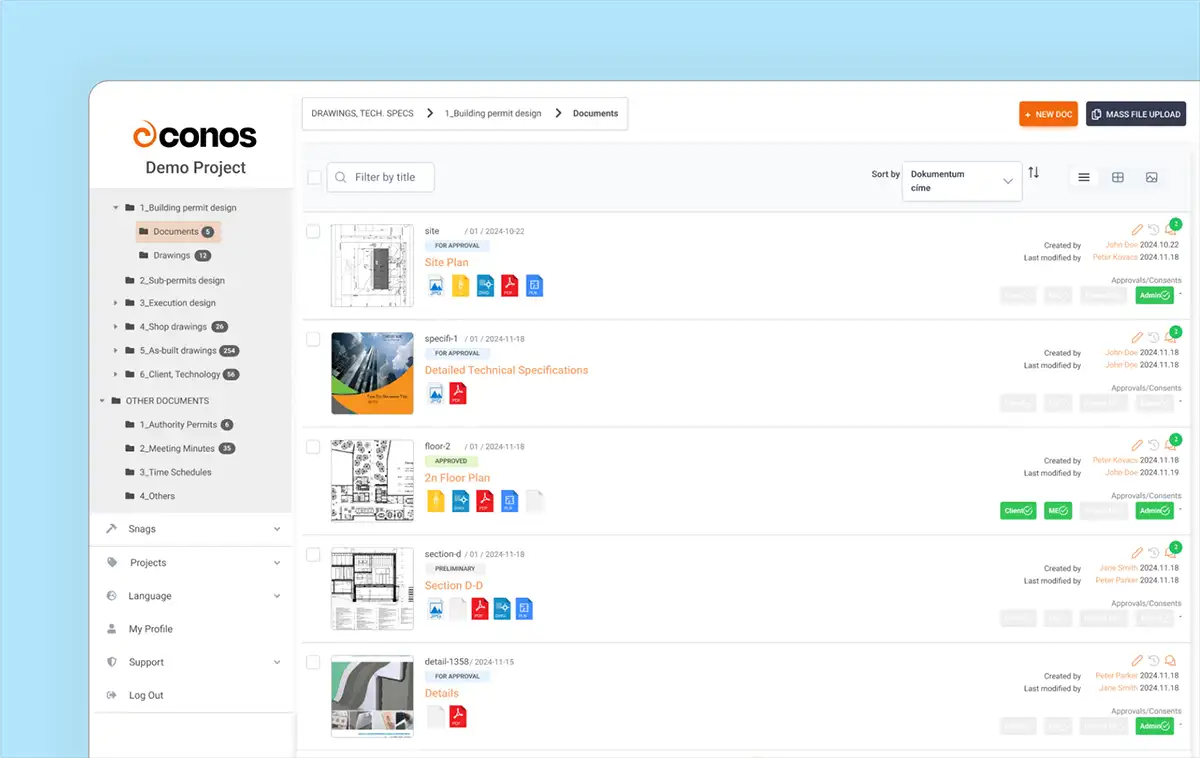
The Conos Document Manager with a project folder tree and a list of documents with status and approval badges

Screenshots show sample data and are for illustration only. The interface can differ by version, plan and client configuration.

Simple to use

No installation and no training. Invite your team and start uploading files with drag and drop.

Always up to date

Notification emails go out when files are added or changed. Everyone can switch them on or off in their own profile.

One document, many file types

Keep DWG, PLN, DGN and PDF versions of the same drawing together, with comments and version history.

FAQ

Quick answers

Yes. The 30-day free trial includes up to 3 users and 200 MB of storage, and no credit card is required.

Yes. People who are invited to a project by a company with a Conos subscription can use Conos for free.

Yes, Conos employs robust security measures to protect your data. User access is controlled with password protection and optional multi-factor authentication, ensuring only authorized users can access sensitive information. Multi-factor authentication is not included in the free trial.

Conos offers a mobile-friendly web app that you can install on your phone for quick access, and it works like a native app. How to install it

Yes, with the Enterprise plan Conos allows you to customize the platform with your company's branding elements and choose your own domain or subdomain.

All frequently asked questions

Start New Project?


Call us for fast support to this number.

+36 20 977 9035

Try Conos for freeBook a demo
Try Conos for Free